See what's wrong with your website.
Most accessibility audits cost thousands and take weeks. This one takes about a minute, starts free, and shows you every issue so you can fix it yourself.
- Free plan, no card
- Works on any stack
- Nothing installed

- ADA
- EAA
- AODA
- Section 508
- EN 301 549
The score, the issues, and a report you can file.
Screenshots of the product, not illustrations of it.
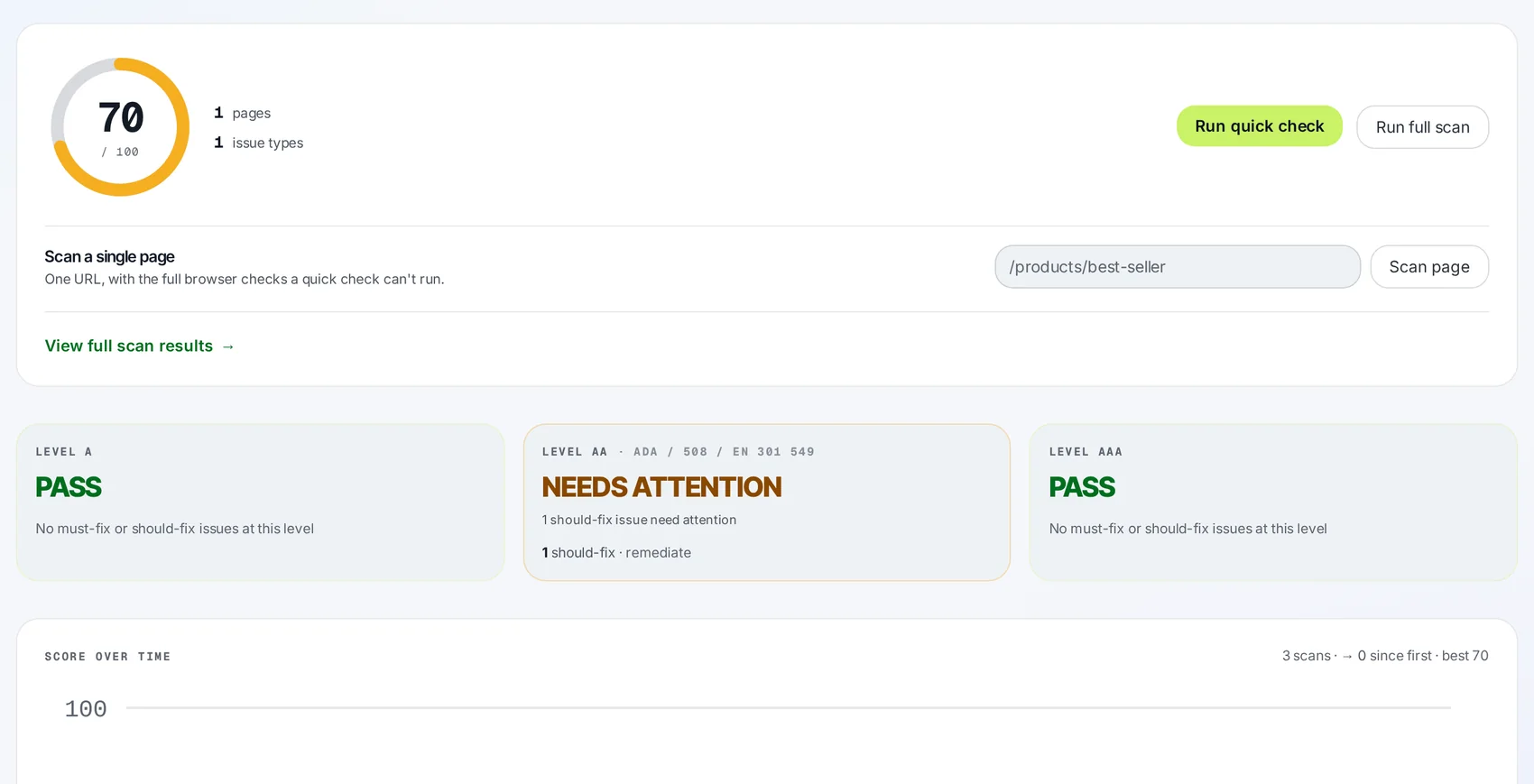
- 01The score
One number, and the three verdicts behind it.
A score out of 100 you can watch move between scans, and a separate verdict at Level A, AA and AAA — the part that answers the compliance question.
- Tracked across every scan you run
- Each level labelled with the frameworks that reference it
- Advisory findings never fail a level
- 02The findings
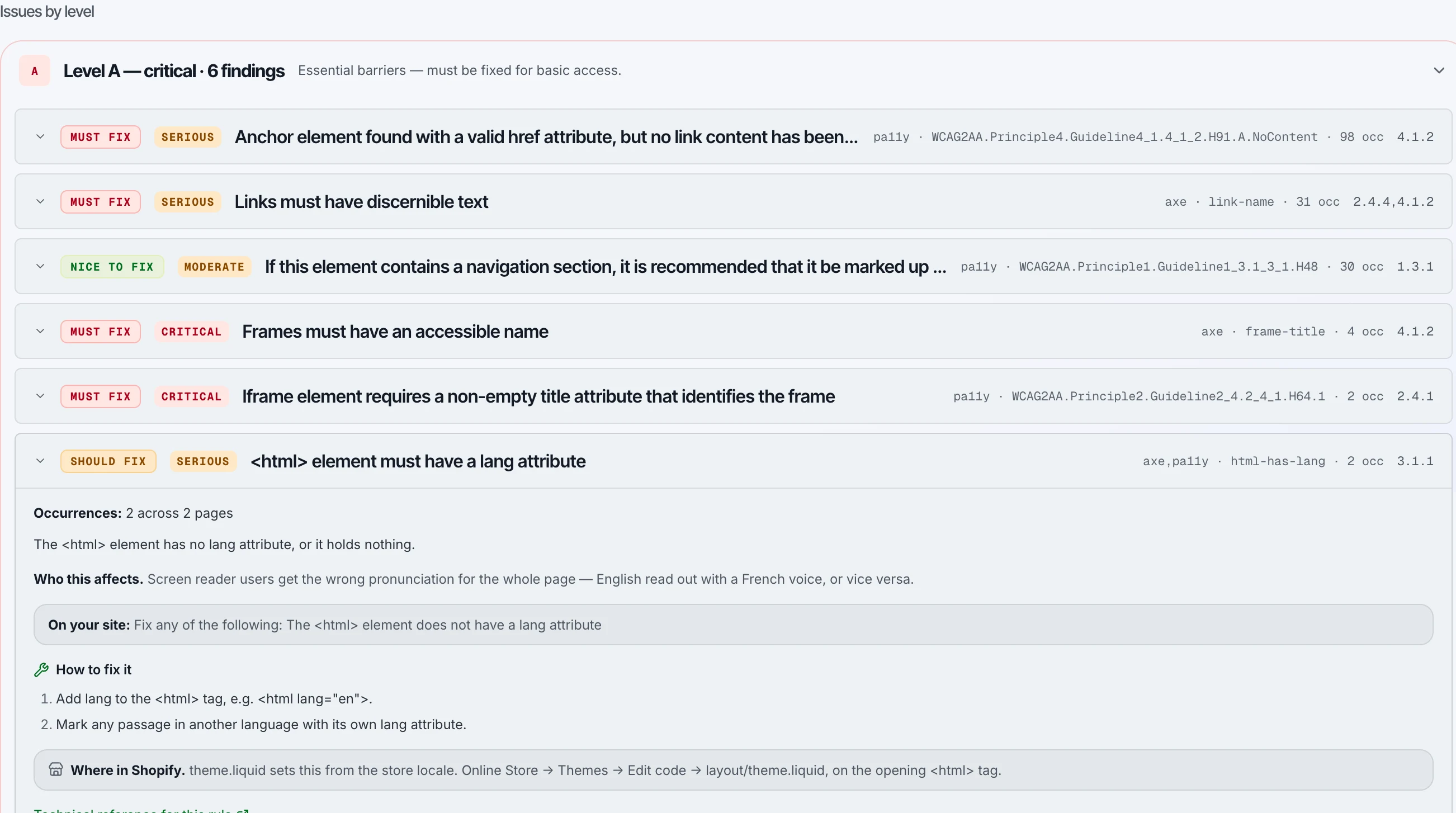
Every issue named, ranked, and pointed at the line.
Grouped by level and severity. Each one carries the criterion it fails, the selector, the occurrence count and the markup itself — written for whoever edits the code.
- Mapped to the WCAG criterion, not a vague severity word
- Selector, occurrence count and failing markup, inline
- Export to PDF or Excel and hand it over
- 03The report
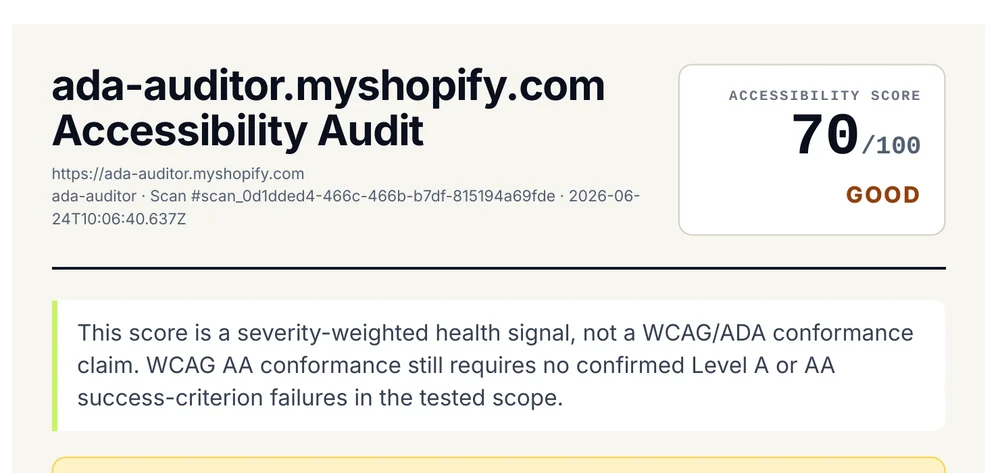
A dated document you can actually file.
URL, scan id, timestamp and score on page one — plus a plain statement of what was machine-tested and what was not. Pro plans add an ACR against the VPAT template.
- Timestamped, with the exact scope tested
- ACR / VPAT report for procurement
- A publishable accessibility statement
Three ways to find out what's wrong.
The list is the same either way. What differs is what it costs you to get it, and how long you wait.
| Dimension | AdaChecked | A manual audit | An overlay widget |
|---|---|---|---|
| What it costs | Free to start; $29/mo on Shopify, $39/mo elsewhere | Quoted per engagement | Monthly, per site |
| Time to first result | About a minute | Weeks | Immediate |
| What you get | Every issue, with the selector and the markup | A report, at the end | A toolbar on your site |
| What changes in your code | Nothing until you change it — you get the list | Nothing. The report is the deliverable | Nothing. A script rewrites the page at runtime |
| Checking again after a fix | Re-scan whenever you like | A new engagement | Nothing to re-check |
| Who does the fixing | You or your developer — or reach out to us for help | You, once it arrives | Nobody |
AdaChecked does not make your site compliant, and no automated scan can tell you that you are. Automated testing reaches part of WCAG; judging alt-text accuracy, focus order, or whether someone using a screen reader can actually finish checkout takes a person. What we give you is the machine-testable half done properly: every issue we can find, named against the criterion it fails, with a dated record of what was tested and what was not. Use it to fix your site and to show your working. Whether that satisfies a legal obligation is a question for your counsel.
Two ways to run the same audit.
Same engine, same report. The only question is where you run it from.
Site Scanner
Paste a URL and get a scored WCAG 2.2 AA audit of the code your visitors actually receive. Nothing to install.
- WordPress, Webflow, Next.js, static — any public site
- PDF and Excel exports, ACR / VPAT on Pro
- Scheduled monitoring with regression alerts
Shopify app
The same engine, run from your admin against the theme customers actually load. Billed on your Shopify invoice.
- A / AA / AAA verdicts on your live storefront
- Issue-level developer reports, PDF and CSV
- Accessibility statement on the free plan
We publish our own numbers.
We are early, and we would rather show you verifiable facts about our own work than testimonials you cannot check. Everything below is reproducible on this page, today.
Violations on our own site
Every public page here, tested with axe-core against the WCAG 2.0, 2.1 and 2.2 A and AA rulesets. Zero is what the tool could decide, which is not the same as a clean bill of health — the footnote below says where it could not decide. We publish the method, the date and the limitations rather than a badge.
Read our accessibility statementWhat this page weighs
Twenty-three requests, and not one of them to a third party until you accept analytics. Page weight is an accessibility problem in its own right — it is felt first on old devices and metered connections, by exactly the people least able to absorb it — so we measure ours and publish it.
Injected into your site
Nothing is added to your pages, ever. We read the code your visitors already receive. There is no script to install, and no way for us to break your site.
See what we hand you insteadBoth figures measured 15 September 2026, on a production build, with a cold cache and analytics not yet consented to. Zero violations is what automated testing could determine, not a clean bill of health: on 17 September 2026 the same tooling returned no violations across all 22 public pages, and also reported about 1,900 elements whose contrast it could not resolve because they sit on gradients. Checking those by hand found one real failure, at 2.15:1, fixed the same day. Automated testing covers part of the standard, not all of it — see the accessibility statement for exactly what has and has not been assessed.
Common questions.
Find out where you stand.
It takes about a minute.
Scan any site you own, free, and get your score and your issues on screen.